What Is Access Control? A Business Owner’s Guide to Managing Entry, Permissions, and Secure Areas

In real-world installation work, a good system must be designed around the door type, installation point, staff workflow, power supply, network cabling, and the actual needs of the business. It should not start only from the equipment price, model, or number of doors.
This guide will help business owners understand what Access Control is, how it works, what options to consider, and what should be checked before installation so the system works reliably long term, not just on the day the door opens and closes.
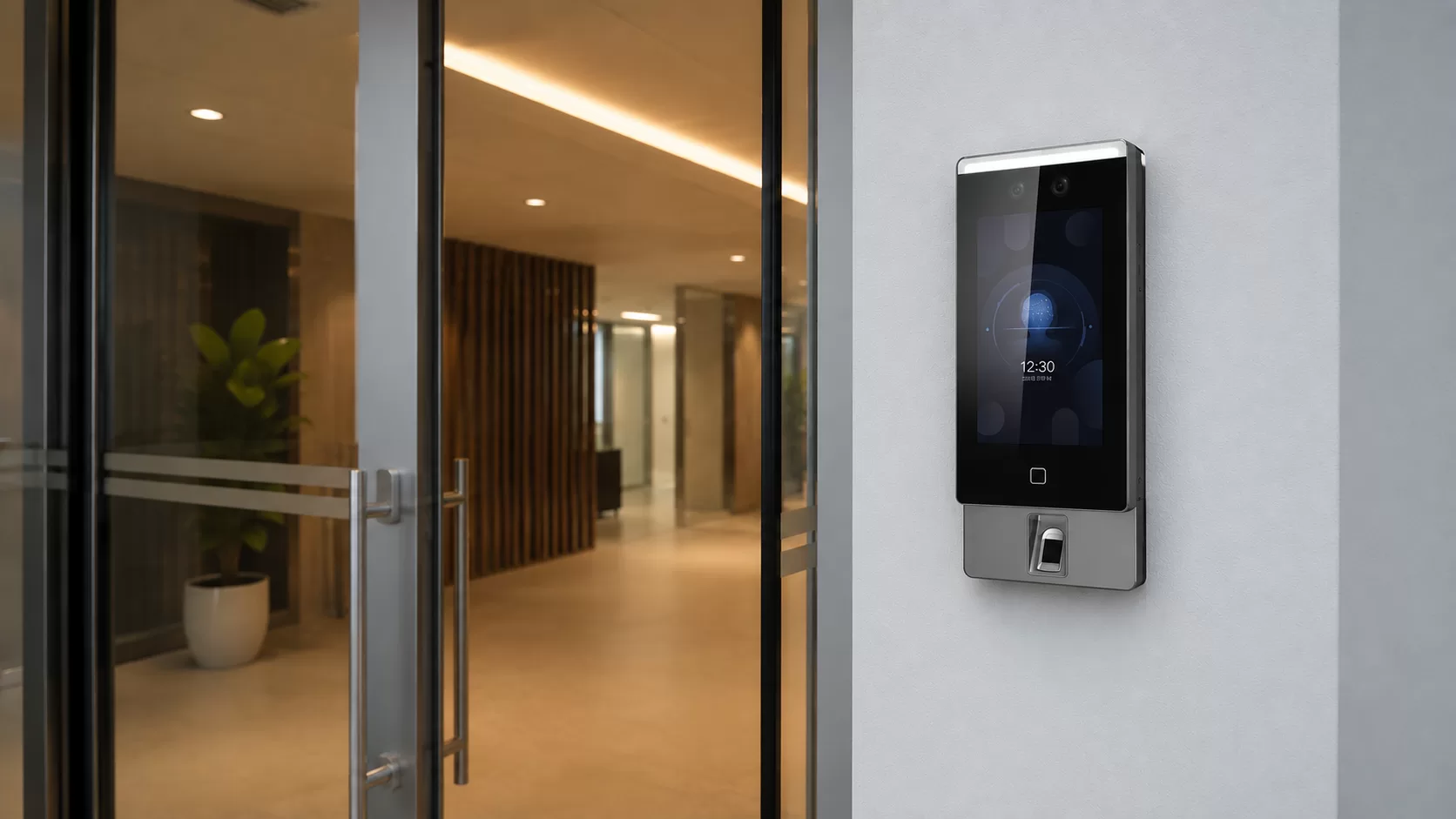
What Is Access Control?
Access Control is a system for controlling entry into a space by using permissions instead of traditional keys. These permissions can come from keycards, PIN codes, fingerprints, facial recognition, mobile credentials, or software-managed user rights. The system defines who can enter, who cannot, and when access is allowed.
In simple terms, it works like a digital gatekeeper. Before a door unlocks, the system checks whether the user has permission to open that specific door. If permission exists, the system unlocks the door. If not, access is denied.
For business use, the most important point is not only whether the door opens or stays locked. The real value is permission management: who can enter, which areas are restricted, what time access is allowed, and whether the business can review entry records when something happens.
For example, general staff may only access the main working area. Managers may access the office and document room. IT staff may access the server room. Cleaners or contractors may only be allowed access during specific time windows.
This is the key difference between Access Control and traditional keys. A key only opens or does not open a door. Access Control gives the business more control over permissions, access changes, event history, and the broader security system.
Why Businesses Should Not Rely Only on Traditional Keys
Traditional keys still work in some areas. But when a business has multiple employees, multiple doors, or sensitive areas that need control, keys quickly become a weak point.
A common issue is key loss. When a key goes missing, the business may need to replace a lock, change a padlock, or issue a new key set. When an employee leaves, the business owner may not know whether every key has been returned. If an incident happens later, it is difficult to confirm who actually entered that area.
Another issue is that keys cannot separate permissions in enough detail. In many businesses, some staff should only access the front area, some should access storage, some should access the office, and certain areas should be limited to owners, managers, or authorized personnel only.
As the business grows, key management becomes increasingly difficult. More people, more doors, and more risk points mean more operational gaps. Access Control helps create a more structured entry management system, reduces dependency on physical keys, and improves the ability to review access history.
For business owners, the clearest benefit is not that the door looks more modern. The real value is reducing the risk of unauthorized access, reducing the burden of tracking keys, and having usable information when something needs to be investigated.
How Access Control Works in Real Site Conditions
In real site conditions, Access Control is not just one card reader installed beside a door. It is a group of components working together: authentication devices, readers, controllers, electric locks, exit devices, power systems, and software for managing permissions.
If the system is not designed properly, the door may open and close on installation day, but the system may be inconvenient to use, difficult to manage, or unable to expand later.
1. Authentication Devices
Authentication devices are what users use to request access. This may include keycards, PIN codes, fingerprints, facial recognition, or mobile credentials. Each method fits different use cases.
Keycards are simple and practical for offices, buildings, and businesses with many users. PIN codes do not require a physical card, but there is a risk of users sharing codes. Fingerprint and facial recognition reduce the risk of one person using another person’s credential, but the device must be selected based on real conditions such as dust, humidity, lighting, and staff workflow.
For some businesses, the most advanced-looking device may not be the best choice. The right choice is the one staff can use every day, the owner can manage easily, and the business can rely on based on the risk level of that area.
2. Reader
A reader is the device installed near the door. It reads the keycard, fingerprint, face, PIN, or mobile credential and sends the information to the system to check whether the user has permission to open the door.
Reader placement matters more than many people think. If it is installed too high, too low, on the wrong side, or in an awkward position, staff will feel that the system is difficult to use even if the device itself is good.
The reader position should be based on real traffic flow, door swing direction, user convenience, and the physical space around the door, not only the easiest installation point.
3. Controller
The controller receives information from the reader, checks the user’s permission, and tells the locking hardware how to respond, such as unlocking or staying locked. Depending on the model and system design, some controllers can manage one door while others can manage multiple doors.
If the controller has too little capacity, the business may face problems when adding more doors, more users, or expanding the system later. Some projects should plan for expansion from the start, especially offices, buildings, warehouses, hotels, apartments, or businesses that expect to add more space in the future.
For commercial work, we do not recommend choosing a controller based only on the lowest price. It is better to check how many doors, users, access events, and system integrations it can support.
4. Electric Lock or Magnetic Lock
Access Control systems work with electric locking hardware such as Magnetic Locks, Electric Bolts, or Electric Strikes, depending on the door type and usage.
This is one of the areas where a real site assessment matters. Different doors require different hardware. Frameless glass doors, aluminum doors, wooden doors, steel doors, and sliding doors may require different locks and mounting accessories.
Sometimes the problem is not the Access Control device itself. The issue may be the door, frame, or mounting point not being suitable for the hardware. This is why the actual door should be assessed before finalizing the equipment model.
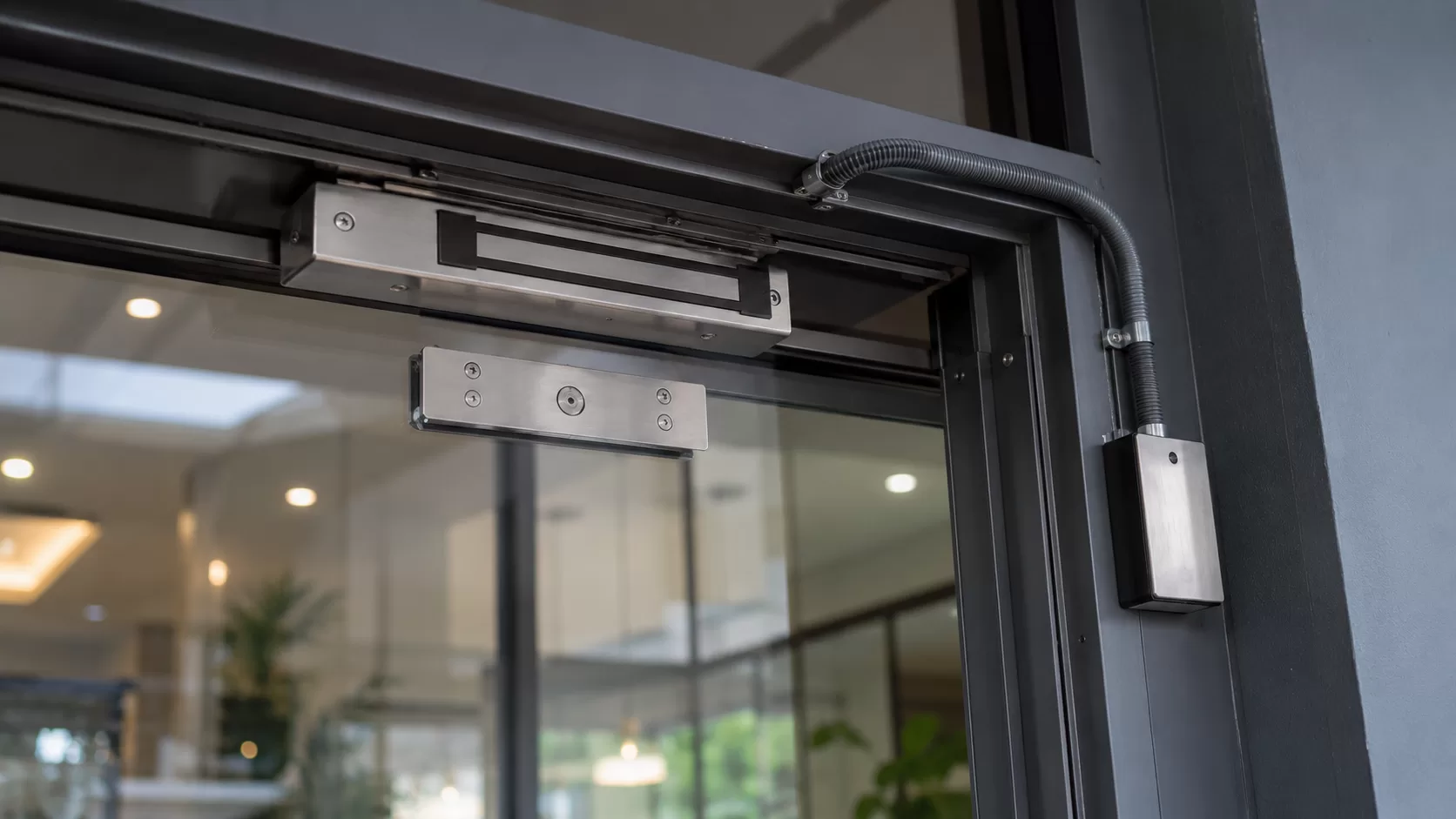
If the lock is not suitable for the door, problems may appear later: the door does not close properly, the magnetic lock does not hold firmly, the mounting point is weak, the door feels stiff, or the system requires rework after daily use begins.
A good Access Control installation is not only about choosing a reader. It must consider the door, frame, mounting point, door weight, opening direction, and daily usage.
5. Exit Button and Exit Method
Access Control is not only about entering. The system must also allow people inside to exit conveniently and safely through an exit button, exit sensor, or emergency release method depending on the site.
This should not be overlooked. An Access Control system should not make daily operation difficult or create risk during emergencies, especially for doors used by many people or doors related to escape routes and building safety.
Doors connected to emergency exits or high-traffic areas should be designed according to the building situation and relevant safety requirements. The decision should not be based only on how strongly the door can lock.
Good design balances security with real usability. The goal is not to make a door difficult to use. The goal is to control access without creating operational friction.
6. Software for Permission Management and Event History
The software allows the business owner or system administrator to add users, remove users, set permissions, group employees, define access schedules, and review access history.
For a small business, the system may need to be simple and easy to operate. For a business with multiple departments, multiple doors, or higher security requirements, the system should support more detailed permission management and future expansion.
Good software should make the administrator’s job easier, not create more work. If adding employees, removing permissions, reviewing history, or making basic updates always requires a technician, the system may become a burden instead of an operational advantage.
What Types of Businesses Should Consider Access Control?
Access Control is suitable for businesses that need to control who enters which areas and want to reduce risk from traditional key usage, especially businesses with multiple staff members, external visitors, or restricted areas that should not be accessible to everyone.
Instead of judging only by business category, it is better to look at real usage. Does the business have a back office? A sensitive room? Multiple staff shifts? Contractors, cleaners, customers, or outside personnel entering regularly? Does the owner need a record when something happens?
If the business has areas where “not everyone should have equal access,” Access Control may already be relevant, even if the business is not a large organization.
Benefits of Access Control for Business Owners
The main benefit of Access Control is not simply making the door look modern. It helps the business control important areas, reduce unclear access risks, and improve the owner’s ability to investigate when something goes wrong.
More Detailed Access Permissions
Business owners can define who can enter, who cannot, and which areas each person can access. For example, front-of-house staff may only access the sales area. Managers may access both the front area and back office. IT staff may access the server room. Cleaners may only enter during approved time windows.
This reduces misuse of space and makes internal responsibility clearer.
Reduced Risk From Lost or Duplicated Keys
With digital permissions, the business can deactivate a lost card or remove a user’s access without changing the lock or issuing an entirely new key set.
For businesses with regular staff turnover or frequent access changes, this removes a major operational burden.
Faster Removal of Former Employee Access
When an employee leaves, changes departments, or finishes a contract, the business can remove or adjust access through the system. There is no need to worry whether every physical key has been returned.
This is one of the main reasons businesses move from traditional keys to Access Control. The risk is not only external people. It also comes from unmanaged internal permissions.
Access History for Investigation
Systems that support event logging can show who entered which door and when. This is useful when a business needs evidence after incidents such as missing items, after-hours access, or unauthorized use of a restricted area.
When properly integrated with CCTV, the business can review door events together with video footage from the same time period.
Time-Based Access
Businesses can define when people are allowed to enter. Staff may only access the area during working hours. Cleaners may only enter in the morning. Contractors may only enter on approved dates. Certain doors may only allow access during specific schedules.
This helps the system match the actual workflow of the business instead of allowing unnecessary 24-hour access for everyone.
Integration With Other Security Systems
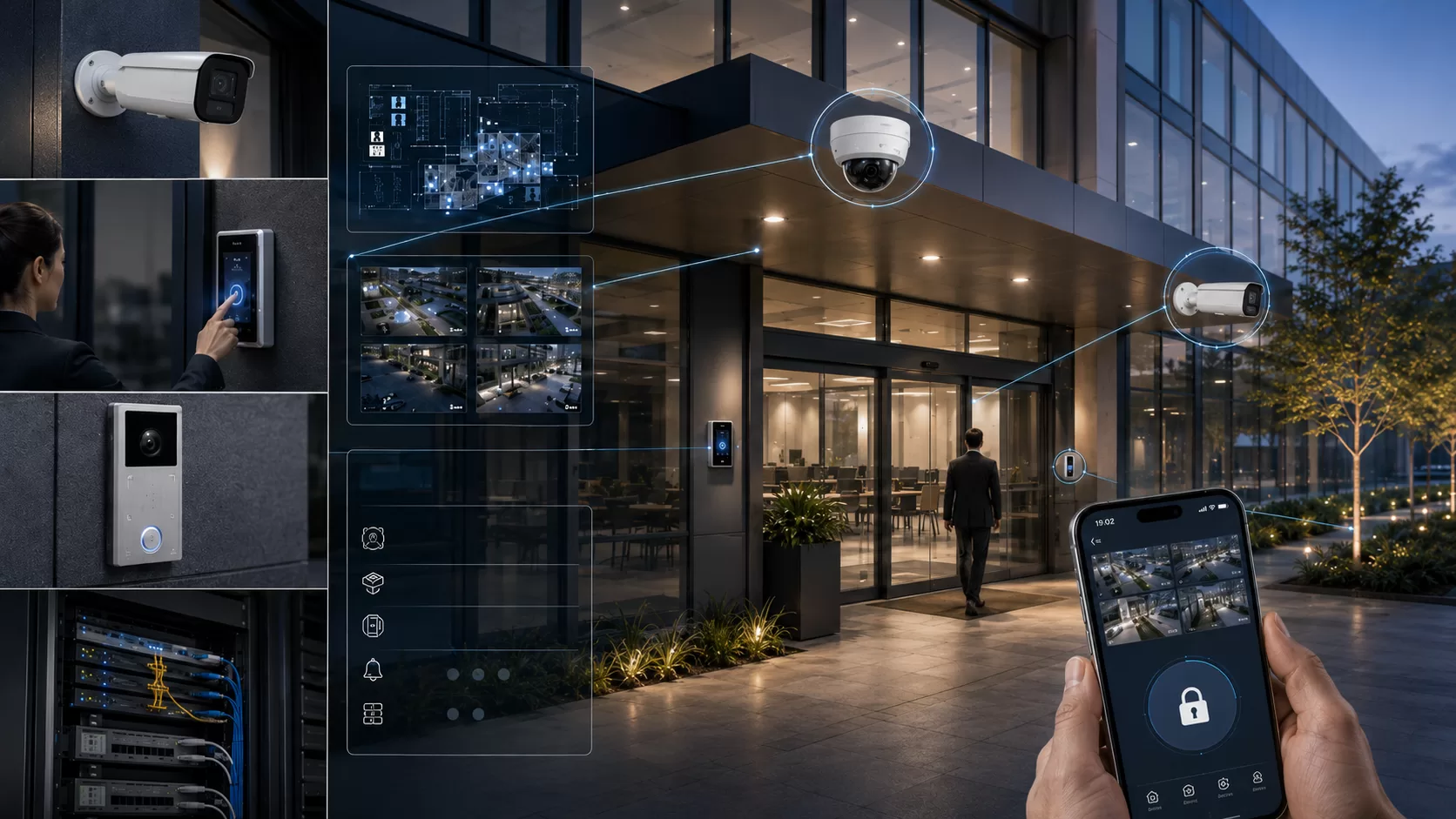
Access Control can work with other systems such as CCTV, alarm systems, intercoms, and network infrastructure, depending on the equipment and system design.
For example, when a door is opened, the access event can be reviewed alongside CCTV footage to help clarify what happened. In some systems, abnormal access attempts can also trigger alerts or additional actions.
Equipment and software from brands that support integration, such as Hikvision, can be one option for projects that need CCTV, Access Control, Intercom, or alert systems to operate as a more unified security environment. However, the suitability depends on the site, existing system, equipment model, and actual business use.
Keycard, Fingerprint, Facial Recognition, or Mobile Credential: Which Is Best?
There is no single method that fits every business. The right authentication method depends on how the business operates, number of users, convenience, security level, and site environment.
For business owners, the question should not be only “Which one is the best?” A better question is: “Which method fits our workflow and is easiest to manage long term?”
Keycard
Keycards are suitable for offices, buildings, and areas with many users. They are simple, fast to issue, and easy to manage.
The downside is that cards can be lost, borrowed, or used by someone else. If the business needs stronger identity confirmation, keycards may need to be combined with another method or used only in suitable areas.
PIN Code
PIN codes are suitable for areas that need simple access without issuing cards to every user. The risk is that codes can be shared or observed while being entered.
PIN access is better for lower-risk areas or as part of a multi-method setup.
Fingerprint
Fingerprint access helps reduce card sharing and unauthorized use of someone else’s credential. It is suitable for businesses that need stronger identity confirmation.
However, the site environment matters. Dust, humidity, dirty hands, or gloves may make fingerprint use less convenient.
Facial Recognition
Facial recognition is convenient, touchless, and suitable for businesses that want a more modern access experience.
However, the device should be selected based on lighting, installation angle, and actual number of users. If installed in a poor lighting condition or bad angle, the user experience may not be smooth.
Mobile Credential
Mobile credentials are suitable for businesses that want more flexibility and a more modern user experience.
However, the equipment and software must support mobile access, and the business should consider whether users are ready for this workflow. Some businesses may still be better served by keycards or fingerprint systems.
In summary, the best method is often not the most advanced one. It is the method staff can use consistently, the business owner can manage easily, and the area’s risk level can justify.
What to Know Before Installing Access Control
Before installing Access Control, business owners do not need to know every technical detail. But they should understand that the system involves doors, users, permissions, power, cabling, and long-term maintenance.
This information helps the team assess the system more accurately and reduces the chance of choosing the wrong equipment from the start.
How Many Doors Need Control?
The number of doors affects the controller, cabling, budget, and future expansion plan.
The business should separate which doors truly need control, which doors are risk points, and which doors may not need installation yet.
What Type of Door Is Already Installed?
Glass doors, aluminum doors, wooden doors, steel doors, and sliding doors may require different locking hardware.
A site assessment is important because lock selection depends on door structure, frame, opening direction, door weight, and mounting strength.
How Many Users Will Use the System?
The number of users affects both hardware and software. A system for 10-20 users may not be the same as a system for hundreds of users.
If there are many user groups such as staff, cleaners, contractors, tenants, or managers, the permission management method should not be too complicated for the administrator.
Do Permissions Need to Be Separated by Role or Department?
If the business needs multiple permission levels, such as owner, manager, staff, cleaner, technician, contractor, or tenant, the system should support clear user grouping and permission control.
Designing permissions properly from the start makes the system easier to operate and reduces the need for rework when more users are added.
Is Access History Needed?
If the business needs to review entry history, the system should support event logging and the administrator should be able to access those records conveniently.
For some businesses, access history is important because it supports investigations when items go missing, after-hours entry occurs, or restricted areas are accessed without permission.
Should the System Connect With CCTV or Other Systems?
If the business wants Access Control to work with CCTV, alarm systems, or network infrastructure, it should be planned from the beginning.
Integrated design is usually better than installing each system separately and trying to connect everything later. Cabling routes, device positions, network setup, and software may all be related.
Is Future Expansion Planned?
If the business may add more doors, buildings, branches, or users later, the system should support expansion.
Choosing only what is enough for today may look cheaper at first, but if equipment must be replaced later when the system expands, the total cost can be higher.
Why a Site Assessment Should Come Before Installation
Access Control installation involves hardware, doors, electrical work, network cabling, staff workflow, and building safety. Assessing only from photos or door count is often not enough.
Real site details matter: which direction the door opens, whether the frame suits the lock, where the reader should be installed, how cabling can be routed, whether an exit button or emergency release is needed, and whether the system must connect with existing infrastructure.
If the design is not thorough, problems may not appear on installation day. They often appear during daily use: staff find the system inconvenient, the door does not close properly, user permissions are difficult to manage, the system cannot expand, or event history is not enough when an incident occurs.
Starting with a site assessment helps select equipment that fits the actual door, design permissions that match the business workflow, and reduce the chance of reworking the system later.
For commercial projects, we believe the first question should not only be “How many doors and how much?” It should be “Which areas need control, who should access them, and what does the business need to verify when a problem happens?”
How We Help Design Access Control Systems for Businesses
NPTech Solutions designs and installs business security systems. We treat Access Control as part of the wider security infrastructure, not just one device that opens and closes a door.
Our team reviews the door type, installation point, cabling, power, network system, number of users, permission structure, and the need to connect with other systems such as CCTV, alarm systems, or building security systems.
For businesses that want to see real equipment or compare system options, we have experience with multiple categories of security equipment, including Hikvision systems for CCTV and Access Control, which can be designed around the actual use case of each site.
Our approach does not start by asking only, “How many doors do you want to install?” It starts by understanding which areas the business needs to control, who should enter, who should not enter, how much access history is needed, and whether the system should expand in the future.
Once the site requirements are clear, our team recommends suitable equipment and installation methods so the system is practical, manageable, and ready to support the business long term.
Want to Control Business Entry More Systematically?
If your business now has multiple areas, multiple doors, multiple staff groups, or restricted spaces that should not be accessible to everyone, Access Control can help make operations more secure and easier to verify.
Before choosing equipment based only on price, model, or number of doors, it is better to start by reviewing the actual site, door type, staff workflow, required permissions, and whether the system should connect with other security infrastructure.
Consult Our Team via LINE
Related Frequently Asked Questions
Editorial Policy: This guide was drafted and reviewed by senior engineers at NPTech Solutions to provide technically accurate and updated security infrastructure practices for regional operators.
Want to Control Business Entry More Systematically?
Our team can review the door type, cabling route, power, number of users, access permissions, and CCTV / Network integration before recommending a system.